reconciling form

Reconciling Form 168: A Practical TDS Checklist for Taxpayers

Anyone who has ever filed an income tax return knows the small fear of a mismatch notice. After claiming a TDS credit, the department’s records show an error, and all of a sudden you’re chasing a bank or employer for a fix that should have been discovered weeks before. Form 168, which has replaced the previous Annual Information Statement under the Income Tax Act, 2025, is the document that helps identify this before it becomes a notice as of April 1st, 2026.

What Form 168 Actually Is

Form 168 is prescribed under Rule 245 of the Income Tax Rules, 2026, and uploaded under Section 510 of the new Act. It’s an auto-generated statement sitting in your registered e-filing account, pulling together TDS and TCS entries, specified financial transactions, tax payments, refunds, demands, and details of pending or completed proceedings. You don’t prepare or file it yourself; the department generates it based on what employers, banks, and other reporting entities submit against your PAN.

For anyone used to the older AIS, the shift is largely one of name and legal basis rather than function. AIS continues for periods governed by the 1961 Act, up to Assessment Year 2026-27, while Form 168 takes over from Tax Year 2026-27 onwards. TDS deducted in March 2026 still shows up in the older AIS. Anything deducted from April 2026 flows into Form 168 instead.

How to Reconcile TDS Entries

Reconciliation really comes down to comparing what Form 168 shows against what you already know from your own paperwork. A few practical steps make this easier:

  • Pull every TDS or TCS certificate you’ve received during the year, whether from an employer, a bank, a tenant, or a property buyer.
  • Match each certificate’s deducted amount and deposit date against the corresponding entry in Form 168.
  • Check that the PAN, the Tax Year, and the nature of payment listed in Form 168 line up correctly with your own records
  • Flag any TDS you know was deducted but doesn’t appear in the statement yet, since reporting entities upload information within 90 days of receiving it, not instantly.

A gap here often points to a delay on the deductor’s side rather than an error on your part, but it still needs chasing before you file your return, since an unreflected credit simply can’t be claimed.

What to Do When Something Doesn’t Match

If an entry looks wrong, the fix has to happen at the source. Contacting the employer, bank, or other deductor and asking them to correct their original TDS statement is the only way the figure in Form 168 actually changes. Typing a different number directly into your return doesn’t correct the underlying record, and it can create exactly the kind of mismatch that draws a notice later. Keep your certificates and bank statements on hand while this gets sorted, since you’ll likely need to show them to the deductor or, if it comes to it, to the department.

Conclusion

Form 168 provides you with a single spot to verify whether the TDS you anticipate matches what the department has on file; nevertheless, it is best used as a starting point for verification rather than a definitive response. By going over your certificates line by line, identifying any gaps early, and sending revisions back to the source before submitting, you can transform what could have been a stressful notice later into a routine check now.

A Step-by-Step Guide to Generating a TDS Challan on the Income Tax Portal Under the New System

Paying TDS on time has always been part of running a compliant business, but the process changed significantly from 1st April 2026. With the Income Tax Act, 2025, now in force, the income tax portal introduced a new challan system, complete with a fresh Act selection screen, new challan forms, and revised steps. If you’re still following the old routine, you might get stuck or generate a challan under the wrong act. This guide explains how to properly create a TDS challan under the new system.

Before You Start

Make sure you have the following ready before logging in:

  • Your TAN and portal login credentials
  • The deductee’s PAN details
  • The exact TDS amount, along with any interest or late fee, if applicable
  • A stable internet connection and an updated browser

Logging in with your TAN is recommended over the login-free “Quick Links” route, since it keeps a proper record of your payment history on the portal.

Steps to Generate the Challan

Once you’re ready, follow these steps on the income tax e-filing portal:

  1. Log in using your TAN and password, then go to the Dashboard.
  2. Click on e-File, then select e-Pay Tax. This takes you to the Act Selection screen.
  3. Choose the applicable act. Select the Income Tax Act, 2025, for any transaction where TDS was deducted or credited on or after 1st April 2026. If the deduction relates to March 2026 or earlier, select Income Tax Act, 1961, instead, and use the older challan form.
  4. Click Continue, then select New Payment on the e-Pay Tax page to start a fresh challan.
  5. Pick the correct tax year. For transactions from April 2026 onwards, this will be Tax Year 2026-27.
  6. Click Proceed on the Pay TDS/TCS tile. You’ll then reach the Select Deductee Type screen, where you choose the relevant major head and the deductee’s residential status.
  7. Select the applicable section (392, 393, or 394) and the specific payment code that matches your transaction, along with the TDS rate.
  8. Enter the deductee’s PAN, the payment amount, the TDS amount, and any interest or late fee that applies.
  9. Choose your payment method, such as net banking, RTGS or NEFT, a debit card, or UPI, and complete the transaction.

After Payment

Once the payment goes through, a Challan Reference Number gets generated, and you can download the receipt right away. This receipt carries the BSR code and challan serial number, both of which you’ll need later when filing your quarterly TDS return. It’s a good habit to check your Payment History tab periodically to confirm the challan reflects correctly, and to verify the deductee’s PAN status beforehand, since an inoperative PAN attracts a higher TDS rate.

Keep in mind that mixing old-Act and new-Act transactions on a single challan won’t work. If you have payments falling under both periods, generate separate challans for each.

Conclusion

Generating a TDS challan under the new system isn’t complicated once you know where the Act selection screen sits and which payment code applies to your transaction. Taking a few extra minutes to pick the right Act, Tax Year, and section keeps your challan valid and your quarterly return free of errors. As more businesses get used to this routine, it will start to feel just as familiar as the old process once did.

A Guide on Form 132, the New TDS Certificate Replacing Form 16C for Rent Transactions

A tenant paying rent above a certain threshold has always carried one extra responsibility beyond just paying the landlord on time. They had to deduct tax at source, deposit it with the government, and hand over a certificate proving it. That certificate used to be Form 16C. Since 1st April 2026, under the Income Tax Act, 2025, it is known as Form 132.

What Form 132 Actually Replaces

Form 132 isn’t a straight swap for Form 16C alone. It’s a consolidated certificate issued under Section 395(4) of the Income Tax Act, 2025, merging four older certificates into one, Form 16B for property transactions, Form 16C for rent, Form 16D for contractor and professional payments, and Form 16E for virtual digital asset transfers. A tenant issuing this certificate now uses the same form number a property buyer or a crypto trader would use, just for a different schedule of the corresponding filing.

For rent, the certificate ties back to Schedule A of Form 141, the challan-cum-statement that also replaced the older Form 26QC. The tenant deducts TDS, files Form 141 under Schedule A, and once that filing is processed, Form 132 gets generated to hand over to the landlord.

Who Needs to Issue It and When

The obligation applies to individuals and HUFs not liable to a tax audit, paying monthly rent above Rs 50,000 to a resident landlord. Two things are worth flagging here, since they haven’t changed even though the paperwork has:

  • The TDS rate on this rent is 2 percent, a figure that came down from 5 percent back in October 2024, and it carries forward unchanged into the new Act.
  • If the landlord doesn’t share their PAN, the deduction rate jumps to 20 percent instead.

Once TDS is deducted and deposited through Form 141, Form 132 must be issued within 15 days from the due date of that filing. This certificate can only be generated through the TRACES portal, so a document handed over outside that system isn’t considered valid proof.

What This Means in Practice

A tenant paying Rs 60,000 a month in rent still deducts 2 percent of the annual rent, deposits it through Form 141, and then generates Form 132 to give the landlord. The landlord uses this certificate to claim credit for the tax already deducted when filing their own return. If anything on the certificate needs correcting, the tenant has to file a revised statement first, and only then can an updated Form 132 be generated, there’s no separate correction process for the certificate on its own.

Missing the deadline to issue this certificate still carries a penalty, Rs 200 for every day of delay under the provision that replaced the older Section 234E framework. This makes timely filing just as important now as it was under the old system, even though the form name has changed.

Conclusion

Form 132 folds what used to be four separate certificates into one, which genuinely simplifies things for anyone dealing with property, rent, contractor payments, or crypto transactions across different years. For tenants specifically, the deduction rate, the threshold, and the underlying obligation remain exactly as before; only the certificate’s name and its route through Form 141 have shifted. Getting comfortable with this new pairing, one filing followed by one certificate, is really all that’s needed to stay compliant going forward.

Understanding the Two-Year Correction Window for TDS Statements

For years, a mismatched PAN or a wrongly entered challan number in a TDS return wasn’t something deductors lost sleep over. There was always time to go back and fix it, sometimes years later. That comfort disappeared on 1st April 2026. Under the Income Tax Act, 2025, correction statements for TDS and TCS returns can now only be filed within two years from the end of the tax year in which the original statement was due. What used to be a six-year window has shrunk considerably, and understanding exactly how this works matters for anyone still holding onto old, uncorrected filings.

Why the Window Got Shorter

The earlier system let deductors revise a TDS return almost indefinitely, and in practice, corrections often came in two, three, or even five years after the original filing. This created its own set of problems, unresolved mismatches lingering for years, deductees stuck without proper credit, and a backlog that made audits harder to conduct cleanly. Section 397(3)(f) of the new Act addresses this by setting a firm two-year cutoff, counted from the end of the tax year in which the original statement was due.

The change isn’t just a policy preference sitting in guidance notes, it’s now written directly into law, replacing the earlier six-year practice that existed under the 1961 Act.

How This Affects Older Returns

The transition carries a real deadline that deductors needed to act on before 31st March 2026. Correction statements for the following periods were only accepted up to that date:

  • Q4 of FY 2018-19
  • All quarters of FY 2019-20 through FY 2022-23
  • Q1 to Q3 of FY 2023-24

From 1st April 2026 onwards, none of these can be corrected anymore. They’re considered time-barred, and TRACES simply won’t process a correction request for them, no matter how small or genuine the error.

The rule moves forward on a rolling basis. During the period from April 2026 to March 2027, corrections are allowed only from Q4 of FY 2023-24 onwards. Once April 2027 arrives, the earliest year eligible for correction shifts again, to Q4 of FY 2024-25. Each passing year quietly closes the door on one more year’s worth of filings.

What Happens If a Correction Is Missed

Letting the two-year window lapse isn’t a minor inconvenience. A few consequences follow directly:

  • Deductees may be stuck with unresolved mismatches, which can delay or block their tax credit
  • Penalties ranging from Rs 10,000 to Rs 1,00,000 can apply, depending on how serious the underlying default is
  • Uncorrected statements increase exposure during tax audits, since there’s no longer a route to fix them later

None of this is retroactively fixable once the window closes, which is precisely the point of the change. The earlier flexibility is gone, and accuracy now needs to happen closer to the time of filing rather than being patched up years down the line.

Conclusion

Instead of depending on an uncontrolled safety net, the two-year correction window encourages TDS compliance to do things right the first time. Deductors who are waiting on old, unfixed mistakes from previous years have already missed the opportunity to correct a number of them, and the ones that are still fixable will close on a fixed annual cycle. The only practical method to stay ahead of this transition is to include a routine reconciliation and check PANs, challans and deductee details long before the two-year deadline.

guide to file form 141

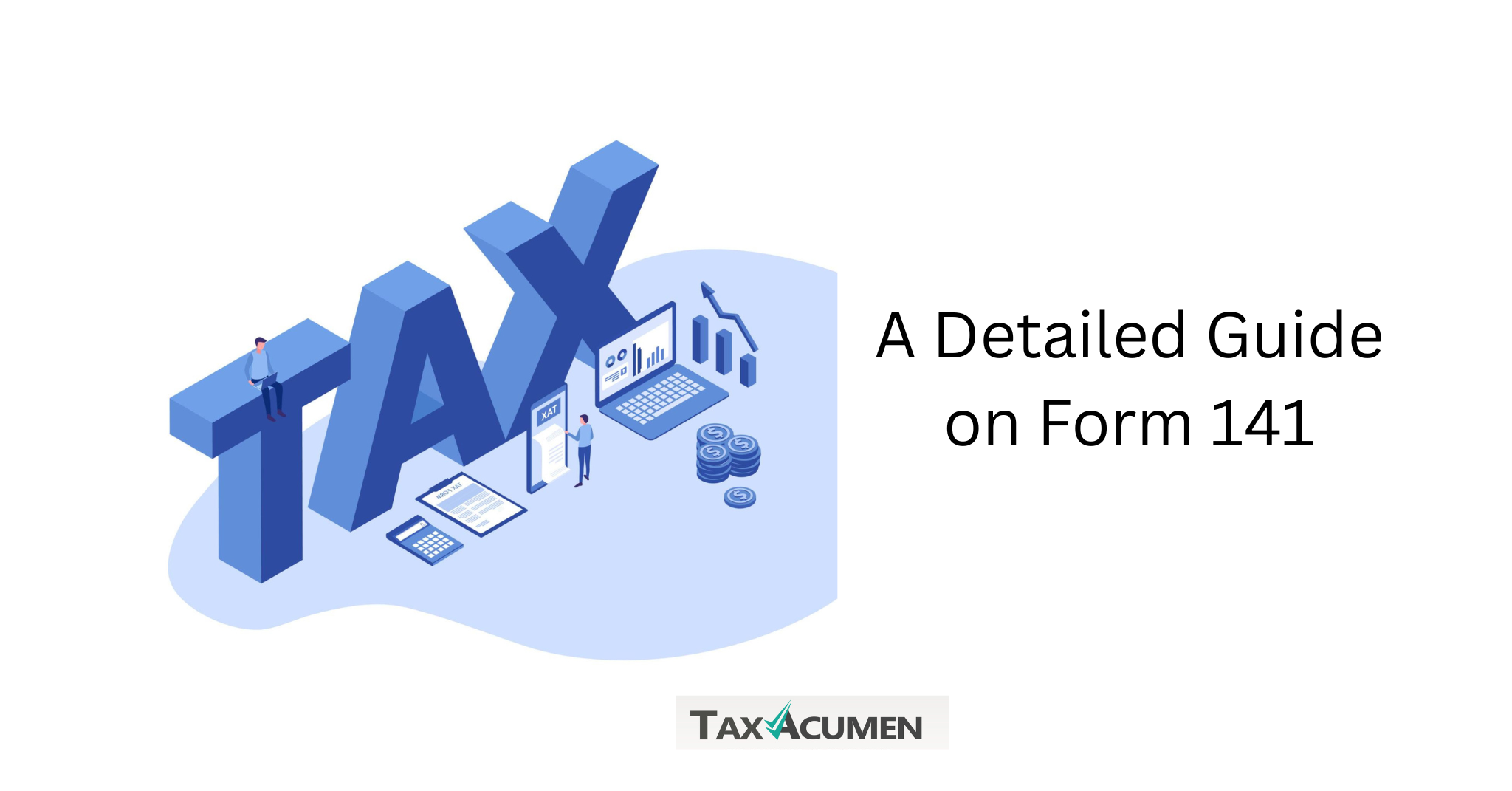
A Detailed Guide on Form 141, the Consolidated Form Replacing 26QB, 26QC, 26QD, and 26QE

Anyone who has bought property, paid rent above a certain amount, hired a contractor without a TAN, or sold a virtual digital asset knows how scattered TDS compliance used to be. Four forms, 26QB, 26QC, 26QD, and 26QE, each handled a different transaction. From 1st April 2026, the Income Tax Act, 2025 replaced all four with a single form, Form 141.

What Form 141 Does

Form 141 is a challan-cum-statement, combining tax payment and reporting into one step. It’s filed under Section 393(1) of the Income Tax Act, 2025, and is entirely PAN-based, so deductors don’t need a TAN to file it. This suits its audience well, since it’s mainly meant for individuals and HUFs not otherwise required to hold a TAN.

Filers now select the schedule matching their transaction, instead of choosing between four different forms:

  • Schedule A, TDS on rent paid to a resident landlord, where monthly rent exceeds Rs 50,000
  • Schedule B, TDS on purchasing immovable property from a resident seller, where the value exceeds Rs 50 lakh
  • Schedule C, TDS on payments to contractors or professionals by individuals or HUFs not covered under regular TDS filing
  • Schedule D, TDS on specified virtual digital asset transactions, such as crypto transfers

Each schedule replaces one of the earlier forms, but the underlying TDS rates and thresholds haven’t changed. This is purely a filing and structural reform.

How to File Form 141

Filing happens entirely online. The general path is to log in using your PAN, go to e-File, then e-Pay Tax, select Income Tax Act, 2025, choose New Payment, and pick Form 141. From there, select the relevant schedule and enter the deductor’s and deductee’s PAN, the transaction value, the date of payment or credit, and the TDS amount.

One useful feature is that a single filing can now cover multiple parties of the same status. If a property has more than one seller, or a rented property has more than one landlord, all of them can be reported in one filing with percentage-wise allocation, rather than filing separately for each pairing as the old system required.

The due date remains the same as before, thirty days from the end of the month in which TDS was deducted. A deduction made in April 2026 needs filing and payment by 31st May 2026. A single Form 141 can only cover deductees sharing the same month of deduction, if the month differs, separate filings are needed.

What Changed Beyond the Form Number

Along with the consolidation, a few related changes matter. The TDS certificate tenants used to issue after filing Form 26QC, earlier called Form 16C, is now called Form 132. Correction of a filed Form 141 is possible, though not through the regular e-filing portal correction flow used for other returns. The new form also includes prefilled details and validation checks meant to catch common errors, such as PAN mismatches, before submission.

Conclusion

Form 141 brings four previously disconnected filings under one roof, which should reduce the friction individuals and HUFs face when dealing with property, rent, contractors, or crypto-related TDS. The rates and thresholds for each transaction type stay the same, so the real change lies in a simpler filing path and fewer repeated submissions for transactions involving multiple parties. Getting familiar with the right schedule for your transaction is the main thing to get right under this new system.

Understanding the Form 138 and How It Differs from the Old Form 24Q

Understanding the Form 138 and How It Differs from the Old Form 24Q

Over the past few months, payroll systems in India have been adjusted to a new quarterly TDS statement by employers. Form 138 under the Income Tax Act, 2025 has taken the place of Form 24Q, the return used for years to report tax deducted from employee pay, as of April 1st, 2026. The form’s number, underlying section, and a few procedural specifics have changed, but its intent has remained the same. What payroll teams and employers should know about this change is as follows.

What Form 138 Is Used For

Form 138 is a quarterly statement filed by any employer, whether a company, firm, government body, or individual, who deducts tax from employees’ salaries under Section 392 of the Income Tax Act, 2025. It also covers specified banks that deduct tax on pension and interest income paid to specified senior citizens. This second use is new territory that Form 24Q didn’t formally carry, since senior citizen pension and interest reporting now sit within the same form.

Form 138 is filed electronically through the Income Tax e-Filing portal using the prescribed TDS return preparation and validation utilities. After successful validation, the accepted statement is transmitted to TRACES for further processing. Not every annexure is required every time. Annexure I goes with all four quarterly filings, while Annexure II and Annexure III, which cover the detailed annual salary or pension summary, get submitted only with the fourth quarter statement. This annual data eventually feeds into Form 130, the certificate that has replaced Form 16 for employees.

How the Due Dates and Filing Process Work

The quarterly due dates for Form 138 follow the same familiar pattern that Form 24Q used:

  • Q1 (April to June): 31st July of the tax year
  • Q2 (July to September): 31st October of the tax year
  • Q3 (October to December): 31st January of the tax year
  • Q4 (January to March): 31st May of the year following the tax year

Once submitted, Form 138 can’t be edited directly. If an error needs fixing, whether a wrong PAN, an incorrect amount, or any other detail, the employer must file a correction statement after the original return has been processed by CPC-TDS. This correction window runs for two years from the end of the tax year in which the statement was due. After successful filing, the portal issues an Acknowledgement Receipt Number as proof of submission.

Key Differences from Form 24Q

While the core reporting stays the same, a few things set Form 138 apart from its predecessor:

  • The governing section has moved from Section 192 of the old Act to Section 392 of the Income Tax Act, 2025
  • Terminology has shifted from “Assessment Year” and “Financial Year” to “Tax Year” throughout the form
  • Specified senior citizen pension and interest reporting is now built into the same form, rather than handled separately
  • Currency references now use the rupee symbol instead of “Rs.” across the document
  • Late filing and non-compliance attract penalties under Sections 427, 461, and 465(2)(g) of the new Act, replacing the older penalty provisions

Timely and accurate filing remains just as important as before. It ensures employees receive proper TDS credit reflected in their records, and it protects employers from the legal exposure that comes with late or inaccurate returns.

Conclusion

Form 138 carries forward everything. Form 24Q was meant to do, reporting salary TDS accurately and on time, while adding a cleaner structure, updated terminology, and expanded coverage for senior citizen income. Employers who update their payroll processes now, align with the new section references, and keep the annexure requirements straight will find the quarterly filing routine just as manageable as it always was.

New TDS Payment Codes under the Income Tax Act, 2025

For the first half of 2026, Indian accountants had to get used to a new method of reporting TDS. The 1961 Act was repealed by the Income Tax Act, 2025 on April 1st, 2026, and a set of numerical payment codes replaced the well-known Section 194 series. For a post-April transaction, a challan or quarterly report that still displays an outdated section number is deemed faulty. Completing TDS files correctly now requires understanding how the old system relates to the new one.

Why the System Changed

TDS provisions were distributed throughout sections 192 to 194T of the previous Act. This is reduced to three parent parts in the 2025 Act. TDS on salaries is covered under Section 392, which supersedes Section 192. Almost all non-salary payments are covered by Section 393, which replaces sections 194A, 194C, 194H, 194I, 194J, and several others. Section 206C has been replaced by Section 394, which addresses tax collection at the source.

The new system gives a payment a four-digit code within a specified range rather than calling it by section. Resident TDS, non-resident TDS, and TCS categories include the total of 92 codes.

How the Codes Map to Old Sections

Some of the most common payment types and their new codes include:

  • Salary payments, earlier under Section 192, are now code 1001 under Section 392.
  • Contractor payments to individuals or HUFs, earlier Section 194C at 1%, now code 1005
  • Contractor payments to companies or firms, earlier Section 194C at 2%, now code 1006
  • Interest paid by banks, earlier Section 194A, now code 1008
  • Rent on land or buildings, earlier Section 194I, now code 1017
  • Commission or brokerage, earlier Section 194H, now code 1014
  • Technical services and royalty, earlier Section 194J at 2%, now code 1026
  • Professional fees and director remuneration, earlier Section 194J at 10%, now codes 1027 and 1028

A handful of codes, including 1007, 1010, 1025, and 1036, appeared in draft forms but weren’t individually notified as of this writing. It’s best to hold off on using these until confirmed, or check with a tax consultant.

The Transition Rule and Form Changes

The rule that decides which act applies isn’t about when you deposit the tax. It depends on whichever comes earlier, the date you credit the payee in your books or the date you actually pay them. If that earlier event falls on or before 31st March 2026, the old Act and its section numbers still apply, even if the deposit happens later. If the earlier event falls on or after 1st April 2026, the new Act and its numeric codes take over.

For instance, crediting a contractor in your books on 28th March 2026 but paying on 5th April 2026 still counts as an old-Act transaction, since the credit date comes first. If both the credit and payment for another vendor happen after 1st April, the new code applies instead.

Alongside the codes, the return forms have changed names too. Form 24Q is now Form 138, Form 26Q is now Form 140, Form 27Q is now Form 144, and Form 27EQ is now Form 143. Payee certificates have changed as well, replacing the older Form 16 and Form 16A formats.

Avoiding Common Filing Errors

This quarter, a few errors are occurring often. On a post-April transaction, using an outdated section number makes the return inaccurate and may prevent the payee’s credit from accurately reflecting. Create distinct challans for each period because combining transactions from before and after April on one challan also results in validation failures. Another common error that causes processing delays is filing on the incorrect form, such as utilising the outdated Form 26Q for transactions that should be on Form 140.

Conclusion

The Income Tax Act of 2025’s change to numeric TDS codes affects every challan, return, and certificate a business files, making it more than just a name change. Businesses can avoid faulty returns and notices by being familiar with the new code ranges, using the appropriate transition rule, and updating accounting software on time. For the rest of the year, filings will go more smoothly if old sections are mapped to their new codes.

A Guide on Filing Quarterly TDS Returns Using Form 138, 140, 143, and 144

Quarterly TDS returns have carried the familiar names for years: Form 24Q, 26Q, 27Q, and 27EQ. That changed from 1st April 2026, when the Income Tax Act, 2025, came into force and renumbered every one of these forms. Those still using the old names in payroll templates or filing checklists need to update them, since returns submitted under old numbers for this period get rejected on validation.

What the New Forms Cover

Each old form now has a direct replacement, and the underlying purpose hasn’t changed:

  • Form 24Q is now Form 138, used for TDS on salary payments.
  • Form 26Q is now Form 140, used for TDS on non-salary payments to residents.
  • Form 27Q is now Form 144, used for TDS on payments to non-residents.
  • Form 27EQ is now Form 143, used for Tax Collected at Source.

For Q1 of FY 2026-27, covering April to June, all four returns share the same due date, 31st July 2026. This is a genuine change for TCS filers, who used to submit Form 27EQ two weeks earlier than the TDS returns. Under Form 143, that gap has closed, and TCS collectors now follow the same schedule as everyone else.

Filing the Return Correctly

Before you build the return, reconcile every TDS deposit made during the quarter against your bank challans, and confirm each one was tagged under Tax Year 2026-27 rather than the older Assessment Year format. A mismatch here can misallocate a payment to the wrong year’s records and create reconciliation trouble later.

It helps to work through the filing in order:

  1. Confirm the correct form for each deduction category, Form 138 for salary, Form 140 for resident non-salary, Form 144 for non-resident payments, and Form 143 for TCS.
  2. Verify the updated section code for every payment type against the current CBDT mapping, rather than relying on last year’s codes from memory.
  3. Match deductee PAN details carefully, since PAN errors are a common reason for correction filings later on.
  4. Generate the return file using an RPU or FVU utility version that supports the new form numbers.
  5. Submit the return on the portal and save the acknowledgement once accepted.
  6. Issue TDS certificates to deductees soon after filing. The salary certificate, earlier called Form 16, now goes by the name Form 130, though its content and purpose haven’t changed.

Penalties and a More Stringent Correction Window

Missing the due date still carries the same consequences as before. A late fee of Rs 200 per day applies under Section 234E, capped at the total TDS or TCS amount for that quarter, with no discretion to waive it once a return is filed late. Persistent or inaccurate filing can also draw a penalty ranging from Rs 10,000 to Rs 100,000 under Section 271H.

One more change worth noting, corrections to a filed statement, such as fixing a wrong PAN or an incorrect section code, must generally be made within two years from the end of the relevant financial year. Older statements with uncorrected errors may fall outside this window soon, so it’s worth clearing them up alongside your current filing.

Conclusion

Filing Q1 FY 2026-27 correctly is less about learning something new and more about updating labels, codes, and templates that stayed unchanged for years. Confirm the right form for each payment category, verify section codes against the current mapping, and reconcile your challans before the 31st July deadline. Getting this first quarter right makes every filing after it considerably smoother.

The Difference Between Sections 129 and 130 of the CGST Act, 2017

India’s Goods and Services Tax (GST) system, which went into effect on July 1, 2017, simplifies compliance and enforcement by combining several indirect taxes under one framework. Sections 129 and 130 of the Central Goods and Services Tax (CGST) Act, 2017, which deal with detention, seizure, and confiscation during the transfer of goods, are among its essential provisions. These two provisions have different objectives, even though they deal with violations of goods transportation. Commencing on January 1, 2022, and strengthened by changes in 2024 and 2025, these sections work independently to ensure compliance and penalise noncompliance.

Understanding Section 129: Detention, Seizure, and Release of Goods in Transit

Goods carried or held in violation of GST regulations, such as when an accurate e-invoice or e-way bill is missing, are governed by Section 129. Until the fine is paid, it permits officials to temporarily hold or seize the goods and the vehicle.

The current system of penalties is:

  • 200% of the tax due on taxable goods if the owner comes forward.
  • In the event that the owner remains silent: 200% of the tax due or 50% of the good’s value (less any taxes paid).
  • For exempt goods: 2% of the value or ₹25,000, whichever is lower, if the owner shows up; 5% of the value or ₹25,000, whichever is lower, if the owner does not.

A detention notice (FORM GST MOV-06) and a show cause notice (MOV-07) for the penalty must be issued by the appropriate official within seven days. The officer has an additional seven days to issue an order (MOV-09) after granting representation. After the order, payment must be made within 15 days. These fines are documented in the Unified AIS (Form 168) under the Income Tax Act of 2025 and are not deductible from business expenses. By paying a maximum penalty of ₹100,000 or the good’s penalty, whichever is smaller, a carrier can obtain the vehicle’s release.

Understanding Section 130: Confiscation of Goods and Conveyance

Cases involving intentional tax evasion are covered by Section 130. This includes providing goods without registering, intentionally utilising a vehicle to transport goods in contravention of the law with the intention of evading taxes, and intentional tax noncompliance. The goods and carriage are subject to confiscation in certain situations. Instead of confiscating something, the officer may issue a fine. This fine must be at least equivalent to the penalty specified in Section 129 and cannot be greater than the market value of the items (after deducting tax). Furthermore, a Section 122 penalty is frequently imposed. To ensure procedural justice prior to the commodities becoming government property, confiscation necessitates a separate show cause notice (MOV-10) and a chance to be heard.

Key Differences Between Sections 129 and 130

AspectSection 129 (Detention & Seizure)Section 130 (Confiscation)
NatureProcedural: Ensures compliance during transitPenal: Punishes intentional tax evasion
CausesDocument violations like missing E-Way BillClear intent or motive to evade tax
ObjectiveDetain goods until the penalty is paidConfiscate goods as they are “tainted”
OutcomeRelease after penalty or securityTransfer of ownership to the Government
Appeal Deposit25% of the penalty amountGenerally 10% of the disputed tax
IT Act 2025Non-deductible penalty in Form 168Non-deductible fine in Form 168

Conclusion

The CGST Act’s Sections 129 and 130 deal with multiple levels of GST violations. Section 129 addresses document-related concerns during transportation and is focused on procedural compliance. Section 130 permits the complete confiscation of goods in order to deal with outright tax evasion. These provisions have been further divided under the current 2025–2026 tax framework so that failure to pay a Section 129 penalty does not immediately result in Section 130 confiscation. The only approach for businesses to avoid the significant financial impact of these provisions is to maintain a clean digital record in the Invoice Management System (IMS).

What is the importance of GST Audits in India?

Taxpayers are mostly responsible for calculating, paying, and reporting their own taxes under India’s GST system. Although this self-assessment approach is intended to make things easier and faster, there must be security measures in place for everything to function properly. GST audits serve as that protection. The government uses them to ensure that companies maintain integrity and compliance.

GST Audits in India

Turnover-Based (Annual Reconciliation)

In the current 2025-26 framework, businesses with sales above ₹2 crore must file an annual return in GSTR-9. If your business crosses the ₹5 crore turnover mark, you must also file a reconciliation statement in GSTR-9C.

The process has become more integrated with the Invoice Management System (IMS). This system tracks which invoices you accepted throughout the year to ensure your Input Tax Credit (ITC) matches your supplier’s records. While self-certification is common, businesses crossing high thresholds often now seek professional certification to align with the new Form No. 26 requirements under the Income Tax Act 2025.

Key Points:

  • Applies to businesses with turnover above ₹2 crore for GSTR-9.
  • GSTR-9C is mandatory for turnover above ₹5 crore.
  • Uses IMS data to auto-populate and verify ITC claims.
  • Focuses on matching GST returns with the audited financial books.

Departmental Audit (Section 65)

This audit is conducted by tax officers, usually at the direction of the GST Commissioner. The business gets at least 15 working days’ written notice before the audit begins through Form GST ADT-01.

The audit can happen at your office or at the GST department. Usually, it is over within three months, but in complex cases, the Commissioner may extend it by an additional six months. After the process, the findings are sent to you in Form GST ADT-04. This report highlights any mistakes, missing tax payments, or wrongly claimed credits.

Why It Matters:

  • Ensures taxes and ITC claims match actual business activity.
  • Flags bad bookkeeping or attempts to dodge taxes.
  • Allows officers to initiate recovery under Section 73, 74, or the newer Section 74A.

Special Audit (Section 66)

This audit is only ordered when there is a strong reason to suspect the value of tax has not been correctly declared or the credit availed is out of normal limits. The GST Commissioner will order the audit, and a CA or CMA chosen by the authorities carries it out.

The nominated auditor reports back within 90 days, though this can be extended to 180 days. You will have a chance to respond to any irregularities before any penalties begin. If the audit proves there is fraud or hidden sales, the department can begin steps to recover lost revenue or even prosecute.

Why This Audit Happens:

  • Used for serious cases like suspected tax fraud or highly complex transactions.
  • An independent expert reviews the situation for the tax department.
  • The cost of this audit is paid for by the government, not the taxpayer.
Audit TypeConducted ByWhenDurationMain Focus
Annual ReconciliationTaxpayer / ProfessionalSales > ₹2cr (GSTR-9) / ₹5cr (GSTR-9C)AnnualBooks vs. Returns
Departmental AuditGST DepartmentSelected based on risk3-9 MonthsGeneral Compliance
Special AuditGovt. Appointed CA/CMASuspicious or complex cases90-180 DaysFraud Investigation

Conclusion

GST audits are important for maintaining the fairness of India’s tax system. The approach saves time for honest taxpayers by emphasising self-assessment and IMS-based data for the majority of enterprises. However, department-led and special audits continue to be efficient methods for identifying significant errors. In the present digital era of the 2025–2026 tax regime, being aware of these audits allows you to operate your business clearly and gain the assurance of tax authorities.